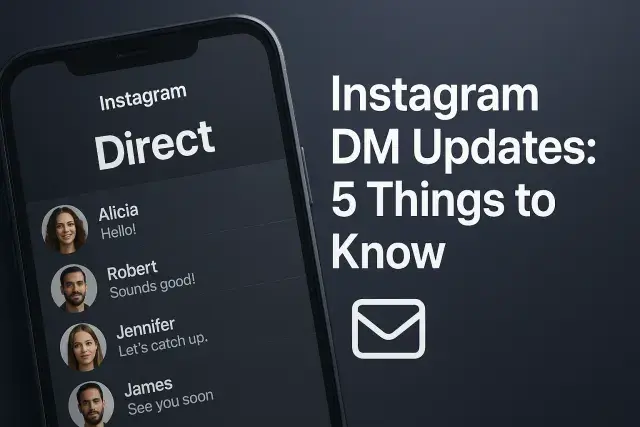
Instagram's messaging inbox has quietly become one of the most experimented-on features in the entire app. Screenshots leaked from testing servers, staged rollouts affecting some regions before others, and features that appear overnight without warning - this is the reality of using DMs right now. Anyone active on the platform has probably noticed something shifting: a new icon, a different way of viewing messages, or a feature that vanished as quickly as it appeared.
Tracking instagram dm updates matters for reasons beyond curiosity. Creators depend on messaging to build direct relationships with audiences, businesses use it as a frontline customer service channel, and privacy-conscious users want to know exactly who can reach them and how. For creators focused on growth, understanding how messaging connects to broader engagement - including tactics like how to boost story views on instagram - has become part of running a serious presence on the platform, since replies, reactions, and story views increasingly influence each other inside Instagram's algorithm.
This guide walks through five concrete developments shaping DMs today, based on verified instagram dm updates news and confirmed instagram dm updates details rather than speculation. Whether you manage a business account or just want your personal inbox to make sense again, what follows is a practical, no-nonsense breakdown of what changed, why it matters, and what to expect next.
1. What Are the Instagram DM Updates, Exactly?
Before breaking down specific features, it helps to define what actually counts as an "update" in Instagram's messaging system. Not every change comes from an official Meta announcement. Some updates are formally rolled out and documented; others surface first through limited server-side tests that only a small percentage of accounts can see, often discovered by developers who dig through app code rather than by Meta's own press releases.
This distinction matters because it explains why two people with the same app version can have completely different DM experiences. Instagram routinely runs A/B tests on messaging features, meaning a redesigned inbox layout or a new reaction option might be live for one user and completely absent for another, even on the same device model and operating system.
- Interface changes - redesigned inbox layouts, new icons, reordered menus
- Feature additions - new message types, reactions, or interactive tools
- Privacy and security changes - updated blocking, filtering, or read-receipt behavior
- Moderation tools - options for filtering unwanted messages or restricting who can contact you
- Cross-app integration - features tying Instagram DMs closer to Messenger or other Meta products
Reliable instagram dm updates news typically comes from a mix of sources: Meta's official newsroom and help center, verified app researchers who monitor backend code changes, and firsthand user reports that get confirmed once a feature reaches broader release. Treating a single leaked screenshot as confirmed fact is a common mistake - plenty of tested features never make it past the experimental stage.
2. The 5 Most Important DM Updates Right Now
With that groundwork in place, here are the five developments currently reshaping how people use Instagram's messaging system. Each one affects a different aspect of the experience, from privacy to automation, and together they represent the clearest instagram dm updates details worth understanding right now.
2.1 Note Feature Expansion and Customization
The Notes feature, which lets users post a short status-style message visible at the top of the inbox, has expanded well beyond its original simple text format. Updates have introduced longer character limits, the ability to attach a short music clip, and more granular control over who can see a given note - close friends only, mutual followers, or everyone who can message you.
For creators and businesses, this small feature carries outsized value. A note is often the first thing a follower sees when opening a conversation thread, making it a low-effort way to highlight availability, promote a new post, or simply add personality to an otherwise static inbox.
2.2 Enhanced Privacy Controls (Hidden Requests, Blocking Improvements)
Message filtering has become noticeably more sophisticated. Hidden word filters now let users block messages containing specific terms before they ever reach the main inbox, redirecting them to a hidden requests folder instead. This is particularly useful for public figures and creators who receive high volumes of unsolicited messages.
Blocking has also been refined - restricting or blocking someone now more consistently removes lingering traces of the conversation across both DMs and comment sections, rather than leaving inconsistent gaps in the interaction history that used to confuse users trying to fully cut off contact.
2.3 Disappearing Messages and Vanish Mode Changes
Vanish Mode, the disappearing-message feature activated by swiping up in a chat, has seen adjustments to how screenshot notifications work and how quickly messages actually disappear once viewed. These changes respond to a long-standing user concern: that "disappearing" messages weren't disappearing quickly or reliably enough.
It's worth being clear-eyed here - Vanish Mode was never designed as a fully secure encrypted channel, and recent tweaks don't change that fundamental limitation. Screenshots and screen recordings remain possible regardless of notification alerts.
2.4 AI and Automated Reply Features
Automated and AI-assisted replies have moved from a business-account-only tool to something more broadly available. Suggested quick replies based on message content, automated greeting messages, and AI-generated response drafts are increasingly common, particularly for accounts that receive a high volume of repetitive questions.
Business accounts benefit most directly here, since automated first responses can reduce response time for common inquiries like pricing, hours, or shipping questions, without requiring a person to be actively monitoring the inbox around the clock.
2.5 Cross-Platform Messaging Integration
Meta has continued pushing toward a more unified messaging experience across Instagram and Messenger. Some accounts now see the option to manage both inboxes from a single interface, with shared read receipts and typing indicators working consistently across both apps rather than functioning as two separate systems.
This integration is uneven in rollout - some users report full cross-platform functionality while others see no change at all, which fits the broader pattern of staged testing that defines most instagram dm updates.
| Update | What Changed | Who It Affects | Why It Matters |
|---|---|---|---|
| Note Expansion | Longer notes, music clips, audience controls | All users, especially creators | Improves visibility and personal branding at inbox top |
| Privacy Controls | Hidden word filters, stronger blocking | Public figures, privacy-focused users | Reduces unwanted contact and harassment |
| Vanish Mode | Faster disappearance, refined screenshot alerts | Users of disappearing messages | Improves reliability, not full security |
| AI Replies | Suggested and automated responses | Business accounts, high-volume creators | Speeds up response time to common questions |
| Cross-Platform Integration | Shared inbox features with Messenger | Users active on both Instagram and Messenger | Simplifies managing conversations across apps |
3. How to Access and Use the New DM Features
Knowing about these updates only helps if you can actually find and use them. Since rollout is staged, not every feature described above will be visible immediately, but the following steps apply to most accounts once a feature has reached general availability.
- Update the Instagram app to the latest available version through your device's app store.
- Open your DM inbox and tap your profile note at the top to check for expanded note options.
- Go to Settings, then Privacy, then Messages to review hidden word filters and message request controls.
- Within an individual chat, swipe up to test whether updated Vanish Mode behavior is active.
- For business accounts, check Settings and then Business Tools to see if automated reply options have appeared.
If a feature described in recent instagram dm updates guide content isn't showing up, it likely hasn't reached your region or account tier yet. Reinstalling the app or clearing cache occasionally surfaces features stuck in a partial rollout, though this isn't guaranteed to work.
4. Common Mistakes and Misconceptions About DM Updates
Confusion around messaging features spreads quickly, especially when leaked screenshots circulate without context. A few misconceptions come up repeatedly and are worth addressing directly.
- Assuming read receipts can be fully disabled - Instagram does not currently offer a native way to turn off read receipts entirely in standard DMs.
- Believing Vanish Mode is a secure, encrypted channel - it is not designed for sensitive or confidential communication.
- Treating every leaked feature as a confirmed future release - many tested features are quietly dropped and never reach general availability.
- Expecting identical experiences across devices - staged rollouts mean two accounts on the same app version can see different feature sets.
Relying on a single source for instagram dm updates news is risky. A leaked screenshot from an unverified account carries far less weight than confirmation through Meta's own communication channels or corroboration from multiple independent researchers.
5. What's Next: Predicting Future DM Updates
Looking at the direction of recent changes, a few patterns suggest where messaging features are headed next. Meta has consistently prioritized closer integration between Instagram and Messenger, stronger AI-driven automation for business accounts, and more granular privacy controls in response to ongoing concerns about harassment and spam.
- Deeper AI-generated response suggestions extending beyond business accounts to creators and casual users
- Additional customization options for message requests and filtering beyond the current hidden word system
- Further consolidation of Instagram and Messenger inboxes into a more unified experience
- Expanded reaction and interactive options within individual message threads
None of these are confirmed releases - they represent reasonable projections based on Meta's recent testing patterns rather than guaranteed features. Anyone wanting the instagram dm updates latest information should treat early reports with appropriate skepticism until official rollout is confirmed.
Questions and Answers
Why do some of my friends have DM features I don't have?
Instagram rolls out most messaging features gradually through staged testing rather than releasing them to everyone simultaneously. Two accounts on identical app versions can see different features depending on region, account type, or which test group they've been placed in.
Is it safe to assume disappearing messages in Vanish Mode are completely private?
No. Vanish Mode is designed to make messages disappear after viewing, but it does not prevent screenshots, screen recordings, or third-party capture methods. It should not be treated as a secure or fully private communication tool.
Do I need a business account to use AI-suggested replies?
Automated reply tools have historically been concentrated on business accounts, though testing has expanded some suggested-reply features to broader user groups. Availability still varies significantly depending on account type and rollout stage.
Can I turn off the new Notes feature if I don't want to use it?
Yes, users generally retain control over whether to post a note at all, and audience visibility settings let you limit or disable who sees it. Simply not posting a note removes it from your inbox display entirely.
What's the best way to stay current on instagram dm updates without falling for fake leaks?
Cross-reference any reported feature with Meta's official newsroom or help center, and give more weight to reports confirmed by multiple independent app researchers rather than a single unverified screenshot. Waiting for a feature to appear in your own account before relying on it is the safest approach.
Will hidden word filters block messages from accounts I already follow?
Hidden word filters typically apply based on message content rather than the sender's follow status, meaning even accounts you follow can have their messages filtered if flagged terms are detected. Review your filtered word list periodically to avoid missing legitimate messages.