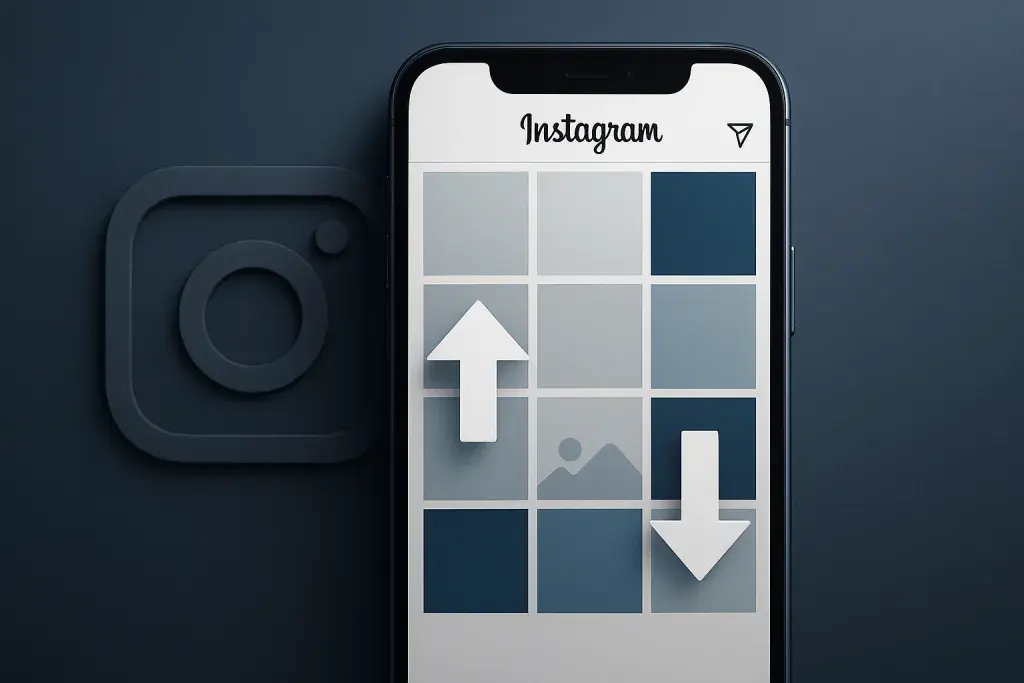
Open your Instagram profile right now and there's a decent chance a post you published months ago sits closer to the top than it should. Not because you edited it, not because you deleted and reposted it, but because the platform decided to move it there on its own terms. This is instagram grid reordering, and it has quietly turned one of the app's most predictable features - the chronological photo grid - into something far less stable than it used to be.
For years, the grid was the one part of Instagram that behaved exactly as expected: newest post at the top, oldest at the bottom, no surprises. That predictability is what let creators build cohesive visual layouts, plan content calendars around aesthetics, and trust that their profile told a consistent story. Now, with instagram grid reordering explained across countless creator forums and support threads, that trust has cracked. People are also connecting the dots between grid behavior and broader visibility strategy - for instance, understanding how instagram reels boost price fits into a creator's promotion budget helps clarify whether a sudden shift in reach is tied to grid display or to how content is being distributed and boosted elsewhere.
This piece walks through what's actually happening on the technical side, traces the update history that got us here, and looks at where things stand heading into 2026. By the end, you'll know how to tell a genuine platform change from a display glitch, and how to adjust your strategy without chasing a moving target.
What Is Instagram Grid Reordering?
At its core, instagram grid reordering refers to any situation where the posts on a profile grid appear in an order other than strict reverse-chronological - the sequence Instagram has used by default since the app launched. Instead of the most recent post sitting in the top-left corner, older content sometimes takes that spot. Sometimes the shift is temporary and resolves after a refresh. Other times it persists across sessions and devices, which is what has generated so much discussion.
Not every account experiences this the same way, and that inconsistency is part of what makes the topic confusing. A business account might notice reordering after a promotional push, while a personal account sees it after editing an old caption. The causes vary, but they generally fall into a few recognizable categories.
- Algorithmic adjustments that influence how recently interacted-with content is surfaced or reprioritized on a profile view.
- Pinned posts, a legitimate Instagram feature that lets users manually fix up to three posts at the top of their grid.
- Reposted or re-shared content that Instagram treats as a new upload, pushing it forward in sequence.
- Caching and syncing delays between the app and Instagram's servers, which can create a temporary illusion of reordering.
Understanding which of these applies to your situation is the first step. Confusing a caching bug with an intentional algorithm change leads to wasted effort trying to "fix" something that resolves on its own.
Instagram Grid Reordering Explained: The Technical Side
Once you accept that the grid isn't always chronological anymore, the natural question becomes why. The answer sits at the intersection of three separate systems: manual pinning controls, backend ranking signals, and plain software behavior around caching. Each produces a different kind of reordering, and each requires a different response from the user.
Pinned Posts vs. Algorithmic Shuffling
Pinned posts are the easiest case to explain because they're intentional. A user selects up to three posts and fixes them at the top of the grid regardless of when they were published. This is a deliberate design choice, not a bug, and it's the only form of grid reordering that a user fully controls.
Algorithmic shuffling is different. This happens when Instagram's backend appears to weigh factors like recent engagement, edits, or renewed interaction when determining display order, even though the platform has never published a detailed formula for this behavior. Users report posts jumping position after receiving a burst of comments or after being shared to Stories, though the mechanism behind this remains largely opaque from the outside. The key distinction: pinning is visible and reversible with one tap, while algorithmic movement is not something you can toggle off.
Caching and Display Bugs
The least dramatic but most common explanation is technical lag. Instagram's app and web versions don't always sync instantly, especially after an edit, a deletion, or a network interruption. A grid can appear reordered on a phone but display correctly on desktop, or vice versa, simply because one version pulled updated data and the other didn't.
| Cause | User Control | Typical Duration |
|---|---|---|
| Pinned Posts | Full control, manually set and removed | Permanent until changed by user |
| Algorithmic Shuffling | No direct control | Varies, can persist indefinitely |
| Caching or Display Bugs | No control, resolves with app refresh | Temporary, usually hours |
If your grid looks off, refreshing the app or checking it on a different device before assuming something structural has changed is a reasonable first move. Not every visual shift is a signal - some are just lag.
Instagram Grid Reordering Update: A Timeline of Changes
Grid behavior hasn't changed overnight. It's shifted gradually, alongside broader updates to how Instagram ranks and displays content across the platform. Early versions of Instagram had no reordering behavior at all - the grid was a strict timeline, full stop. The introduction of pinned posts marked the first official departure from that rule, giving users a sanctioned way to break chronology.
From there, user reports of unexplained shifts began appearing more frequently as Instagram leaned further into algorithmic content ranking across Feed, Explore, and Reels. As those ranking systems became more central to how content is surfaced, some of that logic appears to have bled into profile-level display as well, even without an official announcement confirming it. Instagram grid reordering news has largely been driven by user observation and community discussion rather than detailed platform statements, which is part of why misinformation spreads easily around this topic.
- Static chronological grids: the original, unchanging display order with no user control.
- Introduction of pinned posts: the first official tool for manual reordering.
- Rise of algorithmic ranking across other surfaces: Feed and Explore begin prioritizing engagement over recency.
- Unofficial reports of grid-level shifts: users begin noticing profile order changes without pinning.
- Increased scrutiny and documentation: creators and commentators start tracking patterns more closely.
This progression matters because it shows the reordering conversation didn't start with a single sweeping instagram grid reordering update. It built gradually, which is exactly why it can feel disorienting - there was no single moment marking the shift from predictable to unpredictable.
Instagram Grid Reordering in 2026: What's New
Looking at instagram grid reordering 2026 specifically, the pattern from previous years continues: more ranking signals influencing display, more user reports of unexpected shifts, and no comprehensive official documentation explaining every variable. What has changed is the level of awareness. Creators now plan around the possibility of reordering rather than being caught off guard by it.
New Features or Controls (If Any)
Pinning remains the primary user-facing tool for controlling grid order. There is no confirmed expansion of manual reordering controls beyond the existing three-pin limit, and no verified feature allows users to lock their entire grid into a fixed sequence. Any claims suggesting otherwise should be treated with caution until confirmed directly through the app's own settings.
How This Affects Content Planning
For creators who build their grid as a visual portfolio, this uncertainty changes the calculus. Planning nine-square color patterns or sequential storytelling across posts becomes riskier when the display order isn't guaranteed to hold.
- Treat pinned posts as your only reliable tool for controlling top-of-grid placement.
- Avoid designing multi-post visual sequences that depend entirely on strict chronological display.
- Check your grid across both the app and web versions periodically to catch sync issues early.
- Focus content strategy on individual post quality rather than rigid grid choreography.
None of this means the grid has become irrelevant as a design element - it just means treating it as flexible rather than fixed produces fewer headaches.
Common Misconceptions and Mistakes About Grid Reordering
Confusion around this topic has produced a handful of persistent myths, some of which lead people to take counterproductive action on their own accounts. Clearing these up saves time and prevents unnecessary damage to an account's history.
- Myth: Deleting and reposting content will "fix" a reordered grid. In reality, this often disrupts engagement history and doesn't guarantee the new post will hold a permanent position.
- Myth: A reordered grid means an account has been shadowbanned. Reordering is a display issue, not a reach penalty, and the two are not directly linked.
- Myth: Engagement alone determines exact grid position. While interaction may play a role in some cases, it isn't the sole or confirmed factor.
- Myth: Reordering is permanent once it happens. Many instances are temporary caching issues that resolve without any user intervention.
The most damaging mistake is overreacting. Mass-deleting posts in an attempt to restore a "correct" order can strip away accumulated comments, shares, and saved engagement data, none of which can be recovered afterward.
How Grid Reordering Impacts Visibility and Engagement
It's worth separating two distinct questions: does grid reordering change what your grid looks like, and does it change how many people actually see your content? These are not the same thing. Reordering is primarily a display phenomenon - it affects the visual arrangement of a profile, not necessarily the distribution of posts through Feed, Explore, or Reels.
That said, the two systems aren't entirely disconnected. Content that receives strong early engagement is more likely to be surfaced broadly by Instagram's ranking systems, and that same engagement may coincide with the kind of activity that triggers a visible shift in grid position. Creators who invest in visibility tools sometimes notice this overlap directly, since a promoted or boosted piece of content tends to generate the engagement spikes associated with both wider distribution and unexpected grid movement.
| Factor | Effect on Grid Display | Effect on Distribution |
|---|---|---|
| Pinned Posts | Direct, user-controlled | No effect on Feed or Explore ranking |
| High Engagement | Possible indirect influence | Increases likelihood of broader surfacing |
| Caching Delays | Temporary visual shift | No effect on distribution |
The practical takeaway is that fixing grid order and improving reach are separate goals. Chasing one won't automatically deliver the other, so it makes sense to treat them as independent parts of an overall content strategy rather than assuming a tidy grid guarantees stronger performance.
Questions and Answers
Why does my Instagram grid keep changing order without me doing anything?
The most common cause is caching or syncing delay between your app and Instagram's servers, which resolves on its own after a refresh. If the change persists across devices and sessions, it may be tied to algorithmic factors rather than a temporary glitch.
Can I stop Instagram from reordering my grid entirely?
There is no confirmed setting that locks your entire grid into a fixed chronological order. Pinning up to three posts is currently the only reliable, user-controlled method for setting grid position.
Does grid reordering mean my account has a reach problem?
No, grid reordering is a display-level change and isn't a direct indicator of reduced reach or shadowbanning. Reach issues and grid display are separate systems, even though they can occasionally coincide.
Should I delete and repost content if my grid looks disorganized?
Generally, no. Deleting and reposting can erase accumulated comments, likes, and saves, and it doesn't guarantee the new post will hold a stable position going forward.
Is grid reordering the same on the mobile app and the web version of Instagram?
Not always. Sync delays between mobile and web can cause the two versions to display slightly different orders temporarily, which is why checking both before assuming a permanent change is a useful troubleshooting step.
Will Instagram grid reordering keep evolving after 2026?
Based on the gradual pattern seen so far, further adjustments are likely as Instagram continues refining its broader ranking systems. There's no indication this behavior will revert to a strictly chronological model in the near future.